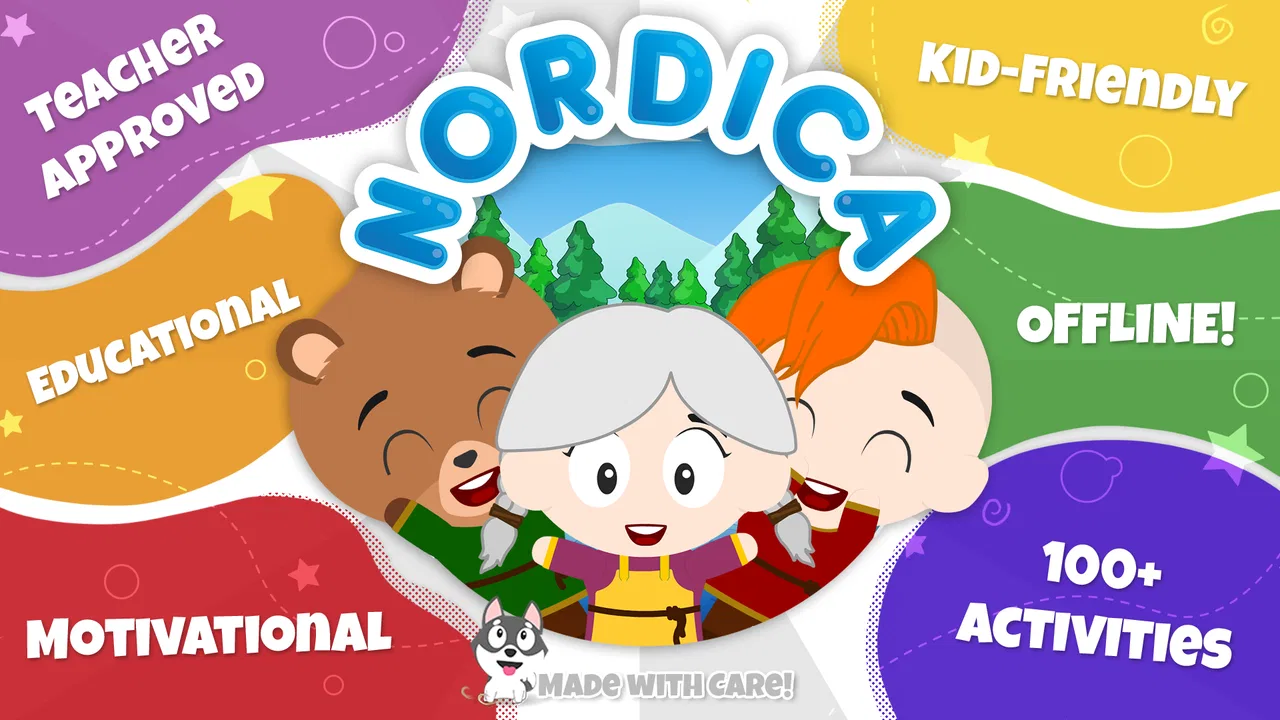
Nordica Village: Kids Games 2+
- 4.0
- Rating
- 50.00K
- Installs
- Free
- Price

 Analysis by App-foxy
When I first tried Nordica Village: Kids Games 2+, I approached it less like a conventional game and more like a small digital activity book for young children. Its central idea is clear: preschool play is placed in historical-looking settings, giving simple activities a stronger sense of place than the usual brightly colored collection of unrelated exercises. I think that setting is the most important part of the experience, because it can make familiar matching, tapping, and recognition tasks feel like visits to another world rather than isolated drills.
This is a free educational game from KidsBanner - Educational games for Kids!, aimed at children from the preschool years through early childhood. It is rated for Everyone, and the current version is 3.11. The game has attracted over 50 thousand installs and holds a 4.0 average from around 40 ratings, so it has a modest but meaningful audience rather than the visibility of a major children’s platform.
My overall impression is positive, with an important qualification: this is best used as a short, supervised activity, not as a complete early-learning curriculum. The historical village theme gives it personality, and children who enjoy pretend travel or storybook places may respond to it more warmly than they would to a plain worksheet app. At the same time, parents looking for deep progress tracking, a broad academic program, or a completely uninterrupted free experience should set their expectations carefully.
You May Also Like

 Blood Strike: 2.5 Anniversary
Blood Strike’s Loadouts Turn Every Drop Into a Tactical Gamble
A close look at Blood Strike’s custom loadouts: how fast access to signature weapons reshapes its battle royale rhythm, rewards preparation, and narrows the gap between fights.

 Pandora - Music & Podcasts
Pandora’s Music Is Easy to Start, but Harder to Recover
Pandora’s strength is its low-effort path from a seed to a station. Its weak spot is how much confidence it asks you to place in connection, setup, and quiet recovery.

 8 Ball Pool
 Is Built on Rivalries, Rematches, and Routine
A close look at the rivalries, rematches, shared routines, and unanswered safety questions that turn a quick pool match into a persistent mobile community.

 Samsung Music
’s Quiet Strength Is Playing What You Already Own
Its reach comes less from spectacle than from dependable access to a personal library. That simplicity is both the app’s strongest retention engine and its ceiling.

 AccuWeather: Weather Radar
AccuWeather Review: A Quick, Clear Forecast for Everyday Decisions
For everyday plans, the best forecast is the one you can understand quickly. AccuWeather makes rain timing, radar, and local conditions easy to act on, with a few trade-offs.

 Hill Climb Racing
Why Hill Climb Racing Still Turns Crashes Into One More Run
A tiny car, a bumpy hill and one more upgrade: Hill Climb Racing keeps resurfacing because its simple chaos makes every near-miss feel personal.
More From Our News Desk
View All News


A historical setting makes simple preschool play feel more purposeful
I find the historical backdrop useful because it gives simple preschool play a setting to notice, not just a task to finish. In this section, I’d look at how that context can invite curiosity and conversation without mistaking atmosphere for a history lesson. That distinction matters when deciding what kind of learning the game can realistically support.
The capability that defines the experience
The feature I would focus on is the use of historical settings as the frame for preschool games. That choice has a practical effect: it gives a child a reason to look around and engage before the learning task even begins. A basic activity can feel connected to a village, a building, or an imagined earlier time, which adds context without requiring the child to read a long explanation.
For a two-year-old, the educational value is not really in memorizing history. The setting works more like visual motivation. A child may be willing to repeat a recognition or coordination activity because the surrounding scene feels interesting. That matters at this age, when attention can disappear quickly if an exercise looks too much like a lesson.
I also like that the concept leaves room for parent-child conversation. Instead of asking only whether a child completed an activity, I can ask what they noticed in the village, which object they like, or how the scene differs from home. Those questions turn the app from passive tapping into a short shared discussion. The game itself does not need to carry the entire educational burden; the setting gives adults an easy starting point.
The historical theme is also a useful contrast with the usual preschool alternatives. Many early-learning apps rely on animals, vehicles, cartoon characters, or brightly colored shapes. Those themes can work very well, but they often blend together. Nordica Village has a more specific identity. That does not automatically make every activity better, yet it gives the experience a memorable layer that a generic alphabet or number app may lack.
What the theme can and cannot teach
I would not install this expecting a serious introduction to history. The historical atmosphere is a backdrop for children’s activities, not a replacement for books, museum visits, or a structured social-studies program. Its value is in creating a playful setting, not in delivering detailed historical explanations.
That distinction is important for parents choosing educational software. If your goal is early interaction, visual attention, and gentle practice in a setting that feels different from a standard worksheet, the concept makes sense. If your goal is measurable reading, mathematics, or language progression, a dedicated learning app will probably be a better primary tool.
In my view, the strongest use is to treat the village as an invitation. Let the child explore the idea of an unfamiliar place, then connect it to real life. A parent might compare a building in the game with a home, talk about old-fashioned objects, or explain that people in the past lived and worked differently. The app supplies a prompt; the useful learning often happens in the conversation around it.
How it works in an ordinary family routine
For me, a game for very young children works best when it fits into a routine rather than taking it over. I’d consider how a brief, shared session can sit alongside meals, waiting time, or a quiet afternoon, and how an adult can help without turning play into a test. The next section looks at the moments when this particular village theme is most useful.
Short sessions are the natural fit
I would use Nordica Village in brief sessions rather than handing it over for a long stretch. Preschool children usually benefit more from a few focused minutes than from being expected to remain engaged indefinitely. The game’s format suits moments such as waiting for an appointment, settling down after lunch, or giving a child a calm activity while an adult finishes a small task nearby.
A realistic routine would be to let a child choose the game during a quiet part of the afternoon, sit with them for the first few minutes, and then ask them to describe what they are doing. I would avoid turning each tap into a test. If the child makes a mistake, I would give them time to try again rather than immediately correcting them. That approach keeps the historical setting playful instead of making it feel like an assessment.
For younger children, the adult’s role is especially important. A child who is just beginning to use a touchscreen may understand the visual goal but struggle with precise gestures. That is not necessarily a failure of the educational design; it can simply reflect developing coordination. I would watch for frustration and stop before the activity becomes a battle.
Use the environment to extend the activity
One of the more useful ways to get value from this game is to pause between activities and talk about the setting. Ask the child to point out something they recognize. Invite them to invent a name for a place or imagine who might live there. Even if the game’s direct tasks are simple, this approach adds language practice and imaginative play without pretending that the app itself provides a full storytelling system.
This is also where the app can work better than a silent video. A video may hold attention, but it generally moves at its own pace. A game with an interactive village gives the child something to respond to. I can slow down, repeat a question, or let the child lead the conversation. That makes it easier to adapt the session to the child’s mood and ability on that day.
Another practical tip is to use it as a transition rather than a reward that must be earned. For example, a short session after tidying toys can help move a child toward a quieter activity. I would not make access dependent on perfect performance, because that can turn a low-pressure educational game into another source of pressure.
What parents should expect from access and purchases
The game is free to download, which makes it easy to test without committing money at the start. It includes in-app purchases ranging from $0.99 to $5.49 per item. I would check the purchase controls before giving a child unsupervised access, especially because preschoolers may tap attractive buttons without understanding that a transaction is involved.
That does not make the game unsuitable for children, but it does mean that “free” should be understood as free to start rather than necessarily free of every optional purchase. In our household, I would handle any purchase decisions myself and keep the child focused on the activity rather than on unlocking something.
The minimum operating-system requirement is Android 8.1. That is worth checking before installing it on an older device. A family using a newer phone or tablet should have a simpler setup, while someone relying on an aging hand-me-down device may need to verify compatibility first. I would also test the game on the actual device the child will use, because screen size and touch responsiveness can affect comfort more than parents expect.
The best situation for using Nordica Village
I think the strongest fit is a child who enjoys pictures and pretend places, with a grown-up close enough to help if touch controls become frustrating. A short session can also become a chance to describe what the child notices, rather than simply handing over a screen. I’d still choose a different activity when the child wants movement, physical materials, or a more focused lesson.
A calm, guided activity for a curious preschooler
The strongest scenario is a child who enjoys exploring pictures and pretend places, but who is not ready for text-heavy lessons. Imagine a preschooler waiting while a parent prepares dinner. The child sits at the table with a tablet, opens the village game, and begins with an adult nearby. The parent can ask simple questions about the scene, help with a difficult interaction, and stop the session when attention fades.
That situation plays to the game’s strengths. The child receives a small amount of independent control, while the adult can turn the setting into a conversation. It is more engaging than handing over a static puzzle sheet and less demanding than asking a young child to follow a formal lesson.
I also see value during travel or other unusual days when a familiar routine is unavailable. The historical village can provide a gentle change from ordinary educational apps, and its child-oriented design makes it more approachable than a general-interest history application. I would still balance screen time with physical play, books, and real-world exploration, but it can fill a short gap without feeling completely disconnected from learning.
How to make the session more useful
I would begin by letting the child explore rather than explaining everything. After that, I would choose one simple focus for the session: noticing details, naming objects, practicing patience, or describing what is happening. Keeping one goal in mind prevents the activity from becoming random tapping.
A second useful habit is to stop while the child is still interested. Ending on a positive moment makes it easier to return another day. There is no benefit in stretching a preschool activity until the child becomes tired or irritable. The app works better as a repeatable small experience than as a long session that tries to accomplish too much.
For children who are beginning to speak in longer sentences, the setting can support open-ended prompts. Ask what might happen next, what a character could be carrying, or how the village might look at night. These are not formal features I would attribute to the game; they are ways a parent can build on its visual world and turn screen interaction into language practice.
Where the trade-offs become noticeable
The game’s appeal depends partly on whether its setting catches a child’s interest, and its free starting point does not remove the need for adult attention around optional purchases. I’d weigh those practical details against what the child actually enjoys, rather than assuming an Everyone rating guarantees a perfect developmental fit. This section considers where those trade-offs can change the recommendation.
The theme is distinctive, but simple activities may not suit every child
The historical setting is the game’s clearest point of difference, but it will not appeal equally to every preschooler. Some children prefer immediate, familiar subjects such as animals or construction vehicles. If a child does not care about the village atmosphere, the setting may not be enough to hold attention. In that case, a more focused app built around the child’s existing interests could produce better engagement.
I would also avoid assuming that educational appearance guarantees sustained learning. Repetition and interaction can be useful, but young children need variety, movement, and real objects too. Nordica Village should sit alongside drawing, blocks, picture books, outdoor play, and adult conversation. It is a supplement, not a substitute for those experiences.
Free access still requires adult oversight
The presence of optional purchases is the main practical friction for families. Parents should manage the device settings and decide whether any paid content is appropriate. I would not let a very young child browse purchase screens alone, even during a short activity.
The age rating of Everyone makes the game broadly suitable from a content perspective, but age suitability and developmental fit are not identical. A child who has trouble with touch controls may need help, while an older preschooler may find the activities too easy if they already use more advanced learning software. The right choice depends on the individual child rather than the rating alone.
The rating of 4.0 from around 40 ratings suggests a generally favorable but still limited public track record. I would treat that as a useful signal, not as proof that every family will have the same experience. The game has over 50 thousand installs, which shows that it has reached a real audience, but popularity alone cannot tell me whether its pace and visual style match a particular child.
When another option is better
I would choose a dedicated phonics app for a child who needs systematic sound and letter practice. For early numeracy, a game organized around counting, quantities, and progression would be more appropriate. For a child who mainly wants imaginative play, an open-ended creative app may offer more freedom than a set of educational activities.
I would also look elsewhere if detailed parent reporting is essential. Families who want visible skill levels, lesson plans, or a clear record of improvement should prioritize an app designed around those tools. Nordica Village feels more like an accessible activity space than a formal teaching dashboard, and that simplicity is both part of its charm and one of its limits.
Who gets the most from this small educational world
I’d recommend this small educational world most readily to families who want a low-pressure activity that can prompt conversation, not a complete preschool course. Its modest audience and generally favorable average offer some context, but the child’s response is the more useful test. I’ll close by identifying who is likely to enjoy it and when another kind of app would serve better.
A good match for families who value context and conversation
The children most likely to enjoy this game are curious preschoolers who respond to pictures, exploration, and gentle pretend play. It is especially suitable for a parent who wants to sit nearby and turn a short digital activity into a shared moment. The historical setting gives adults more to discuss than a bare collection of disconnected exercises.
I would recommend it to families looking for a free starting point in the educational category, provided they are comfortable supervising optional purchases and checking device compatibility. The game’s Everyone rating makes it approachable for a broad audience, while the 2+ positioning points toward very young users who need simple interaction and patient guidance.
The developer, KidsBanner - Educational games for Kids!, has chosen a focused concept rather than trying to present the game as an entire preschool education system. I appreciate that focus. A themed village can be enough when the goal is to encourage curiosity, recognition, and conversation during a short session.
Who should probably skip it
I would skip it if I wanted a complete, structured program with clear academic milestones. I would also look for something else if my child loses interest in historical or storybook settings, or if they need more challenging tasks than an early preschool game provides. Children who become frustrated by touch-screen precision may be happier with physical puzzles or an app designed around simpler controls.
My final view is that Nordica Village works because it gives ordinary preschool activities a memorable place to happen. The historical setting does not transform simple games into a full course, but it can make practice feel more inviting and give parents useful openings for questions and imagination. I would download it as a low-pressure addition to a young child’s activity collection, use it in short supervised sessions, and judge its success by the child’s curiosity and willingness to talk—not by how long the screen keeps them occupied.
FAQs for Nordica Village: Kids Games 2+
01What is Nordica Village: Kids Games 2+?
Nordica Village: Kids Games 2+ is a child-friendly educational and creative game designed for young children, generally starting at age two. It lets kids explore a colorful village, interact with characters and objects, and complete simple activities at their own pace. The gameplay focuses on discovery, imagination, and basic problem-solving rather than competition, time limits, or complex instructions.
02Is Nordica Village: Kids Games 2+ suitable for toddlers?
The game is designed with toddlers and preschool-aged children in mind, using simple controls, bright visuals, and activities that can be understood through exploration. Younger children may still need an adult to help them begin, especially if they are unfamiliar with touch-screen gestures. Parents should check the current age rating, supported devices, and content description before downloading, as compatibility and recommendations can change.
03Does Nordica Village: Kids Games 2+ contain ads or in-app purchases?
Parents should carefully review the store listing before installing because advertising, paid content, and purchase options can vary by version, platform, region, or subscription model. A child-focused game may offer a free download with optional premium features or additional activities. To avoid accidental purchases, use parental controls, disable unauthorized payments, and supervise the first sessions even if the game appears appropriate for children.
04Can children play Nordica Village: Kids Games 2+ without an internet connection?
Some parts of the game may work offline after installation, which can be useful during travel or when a child uses a tablet without mobile data. However, initial downloads, updates, advertisements, account services, or optional content may require an internet connection. Because offline behavior can depend on the device and app version, test the game in airplane mode before relying on it away from home.
05Is Nordica Village: Kids Games 2+ safe and educational for children?
Nordica Village: Kids Games 2+ is presented as a gentle, age-appropriate experience centered on exploration and interactive play. Its activities can encourage observation, coordination, imagination, and early problem-solving, although it should not replace real-world play or adult interaction. Parents should review privacy permissions, check whether external links or purchases are available, and use the game together with children when possible.
Pros
- Simple controls suitable for toddlers and preschoolers.
- Colorful visuals and friendly characters keep young children engaged.
- Offers several short activities for varied play sessions.
- Helps practice basic problem-solving and hand-eye coordination.
- Designed for early learners with an age-appropriate interface.
Cons
- Some activities may feel repetitive after extended play.
- Limited challenge for older children beyond the recommended age.
- May include optional ads or purchases depending on the version.
- Requires parental guidance to manage screen time effectively.
- Performance can vary on older or less powerful devices.

Nordica Village: Kids Games 2+
Gallery